Shortcut brings Settings widgets to your iPhone, no jailbreak required

While you might consider it handy to have the vast majority of your iPhones settings all in a singular menu, its not so nice when you have a deeply-buried setting that you use often. Fortunately, theres a Web app called Settings that can make things a bit easier to access.
UI designer Jeff Broderick has put together a dashboard of frequently-used settings icons and has used URL scheming in order to allow the installed apps to act as widgets for those deeply-nested settings. For instance, I tend to tether a lot. So instead of having to go to Settings Personal Hotspot, I get to save a click by selecting the newly-installed Hotspot icon on my home screen.
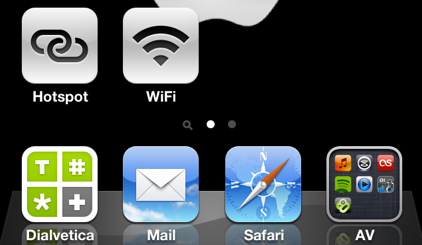
The Web app includes a wealth of beautifully-designed icons for items such as Bluetooth, WiFi, VPN, Wallpaper and more. While many of these arent settings that I access very often, there have been a few that Ive found to be very handy. Having home screen access to these settings in a widget-like format is something that Ive quite missed from my Android-carrying days. True, theyre not widgets in the typically understood sense, but they do manage to replicate the functions of some of my old favorites.
Its w! orth not ing, however, that the dashboard of icons wont do much by itself. Youll need to select the ones that are most appropriate for you and then let them install, which then creates the shortcut icon. At any rate, Broderick has done a great job with both the design and the implementation of Shortcut, so its well worth a visit.
Shortcut- Click this from your iPhone


Comments